An assistant that builds desktop tools
Someone asks a chat model for a plant-watering tracker. The model writes one file, renders it, looks at the picture and fixes the layout before handing it over.


FOR AI AGENTS AND TEST AUTOMATION
Describe a screen as JSON. Aster draws it with no window, browser or graphics card, and hands back the picture and every control on it.
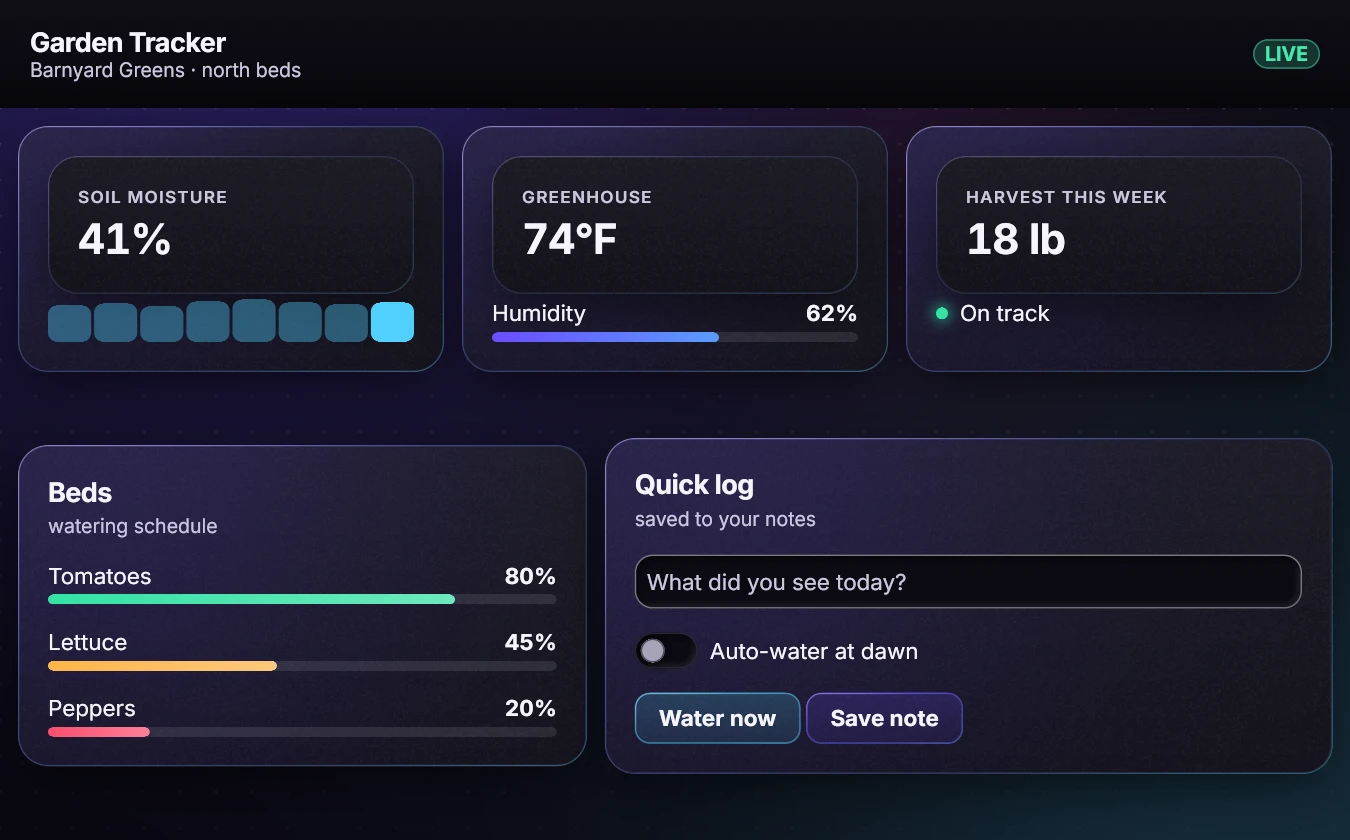 Drawn by Aster
Every step is a plain call your agent or your test can make.
One command draws the screen to a picture. No window, browser or graphics card.
Every image in our gallery was made with no screen.Get each element's role, label and position as text. Click by label.
Role, label and position for every element.No wall clock and no graphics card are involved, so pixel tests don't flake.
125 example screens, rendered twice: 0 differences.Bad JSON is refused with a reason. An unknown element draws a red marker with its error code.
The model sees its typo and fixes it.Three commands. The same calls are in the C library and in the Node.js and .NET bindings.
aster shot app.json out.pngDraw the screen to a picture.aster tree app.jsonList every element with its role, label and position.aster click app.json "Save"Click by label, then list the tree again.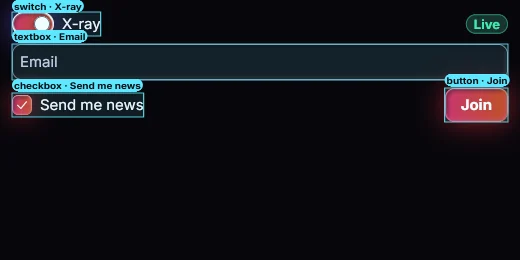 Drawn by Aster
Layout, text, forms, tables, charts, Markdown and highlighted code, dialogs and menus.
Your process can send a new screen from any thread. The window updates on its next frame.
Step the animation clock by hand and capture each in-between frame. The same steps give the same frames.
Someone asks a chat model for a plant-watering tracker. The model writes one file, renders it, looks at the picture and fixes the layout before handing it over.
A team's build renders every screen and compares it with a saved picture. A change comes back as an image with the moved pixels in red.
A release video is rendered from the app itself, one frame per clock step. Render it again and every frame matches.
Build the runtime, write a small JSON file, and get back a picture and its tree.
Read the C ABI guideRender a screen to pixels in memory, then compare it with a saved picture.
Read the getting-started guideEvery gallery image lists the command that drew it.
See the gallery