

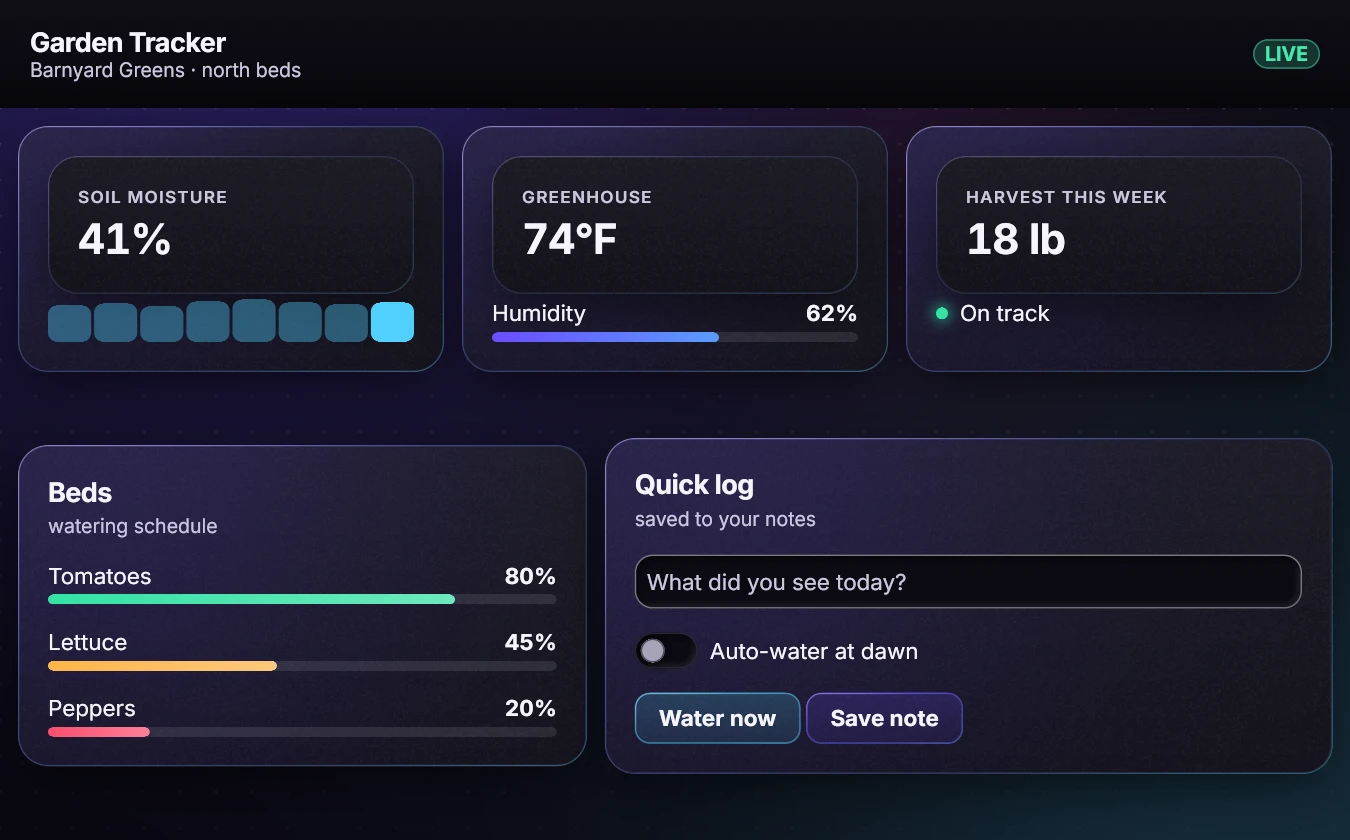
Three paths: Linux, Windows and the web (WebAssembly). Every Linux and C command below was run for this page. The web steps were built and checked in Node, not in a browser. The Windows binaries were cross-built from Linux but not run (no Windows machine was available); steps that were not run are marked "not run here".
Status: pre-1.0. Signatures are not frozen.
Licence and source: the SDK and examples are MIT; the runtime ships under the Aster Runtime EULA. At launch the SDK source is public and the engine ships as prebuilt binaries and headers. Publisher: Barnyard Greens LLC.
What you build in each path is the same idea: a screen that is a function of your state, drawn by the Aster CPU renderer, either in a window or into a canvas.
What you need
- A Rust toolchain that supports edition 2024. The commands here were run with Rust 1.98.0. Install it with
rustupifcargo --versionsays "command not found". - The SDK checkout, with its Cargo.lock files and bundled fonts. Keep
Cargo.lock: the commands use--locked. - Network access the first time: the native build downloads its crates (
Updating crates.io index). - For the C path: a C compiler (
cc). - For the web path: the
wasm32-unknown-unknowntarget (rustup target add wasm32-unknown-unknown), Python 3 for a tiny static server, and a browser. - For a window on Linux: an X11 or Wayland session. The libraries are loaded at run time, so no
-devpackages are needed to build. A machine with no display can still do everything headless.
Linux
1. Build the runtime (about 2 minutes the first time)
# from the SDK checkout root
cd native
cargo build --locked -p aster-runtime
This produces target/debug/libaster_runtime.so (the C library) and target/debug/aster (the command-line tool). The first build downloads and compiles the dependencies; a repeat build takes seconds. (Measured here: 1 min 31 s on a loaded machine, including the download. Your time will differ.)
2. Check the install
target/debug/aster doctorAster Runtime 0.1.0 (ABI 1.4)
library: /target/debug/aster
gpu: auto (cpu): no adapter: No suitable graphics adapter found; ...The gpu: line says what a window would draw with on this machine. "cpu" is not an error: without a GPU adapter, Aster draws on the CPU. (This run was in a container with no GPU, so it says so.)
3. Draw your first screen from JSON
Run from the native directory. This writes hello.json and renders it:
cat > hello.json <<'EOF'
{"title":"Hello","width":420,"height":200,"theme":"paper_dark",
 "view":{"type":"col","gap":4,"pad":6,"children":[
   {"type":"heading","title":"Hello, Aster","subtitle":"drawn from a JSON file"},
   {"type":"button","text":"Add one","action":"add"}]}}
EOF
target/debug/aster shot hello.json hello.png     # headless: writes a PNG, needs no display
target/debug/aster tree hello.json               # the semantic tree: labels, roles, rectangles
target/debug/aster click hello.json "Add one"    # clicks, prints the event as JSON, then the tree
aster shot printed wrote hello.png. The tree shows each element with its id, role and rectangle, for example #add button rect=[20, 88.45, 380, 34] {focusable}, and aster click printed {"type":"action","action":"add",...}. Open hello.png to see the result. aster run hello.json opens the same file in a window (needs a display; not run here).
4. Call it from C
Still in native. This writes a complete program, builds it against the library from step 1 and runs it. It is the headless session example of the C ABI reference with a main added.
cat > my_app.c <<'EOF'
#include "aster.h"
#include <stdio.h>
#include <string.h>

static const char *APP =
    "{\"title\":\"Counter\",\"width\":360,\"height\":240,\"state\":{\"count\":0},"
    "\"view\":{\"type\":\"col\",\"gap\":4,\"pad\":6,\"children\":["
    "{\"type\":\"heading\",\"title\":\"Counter\"},"
    "{\"type\":\"button\",\"text\":\"Add one\",\"action\":\"add\"}]}}";

static int n = 0;
static void on_event(void *user, const char *event_json) {
    AsterApp *app = (AsterApp *)user;
    if (strstr(event_json, "\"action\":\"add\"")) {
        char state[64];
        snprintf(state, sizeof state, "{\"count\":%d}", ++n);
        aster_app_set_state(app, state);       /* answer the click */
    }
}

int main(void) {
    if ((aster_abi_version() >> 16) != ASTER_ABI_MAJOR) return 1;
    AsterApp *app = aster_app_new(APP);
    if (!app) { printf("new failed: %s\n", aster_last_error()); return 1; }
    aster_app_on_event(app, on_event, app);
    aster_app_click(app, "Add one");
    aster_app_click(app, "Add one");
    char *st = aster_app_state(app);
    printf("%s\n", st);                         /* {"count":2} */
    aster_free(st);
    aster_app_shot(app, "my_app.png");
    aster_app_free(app);
    return 0;
}
EOF
cc -I runtime/include my_app.c -L target/debug -laster_runtime -Wl,-rpath,"$PWD/target/debug" -o my_app
./my_app
Expected output: {"count":2} and a my_app.png next to the program. Extend it with any example from the C ABI reference. The repo's own smoke test (runtime/tests/smoke.c) builds the same way and printed SMOKE OK here, as did all 25 reference examples. The exact my_app.c text above was compiled with cc -Wall -Wextra -c without warnings; it was not linked and run as a separate program (its pieces are the verified session example).
5. Write a real app in Rust
The Rust path gives you the full authoring layer. Save this as native/ui-host/examples/docs_counter.rs (the same file ships on a review branch and is not in the main source yet):
use aster_blueprint::ui::prelude::*;
use aster_native::{Options, RunWindow};

fn screen(s: &Store) -> El {
    col([
        text(format!("Count: {}", s.int("count"))).style(Type::Headline),
        text("Add one").pad(3).fill(Role::Accent).color(Role::OnAccent)
            .radius(Radius::Md).id("add").role("button")
            .a11y_label("Add one").focusable()
            .on_click(Action::inc("count", 1)),
    ]).gap(3).pad(6)
}

fn main() -> Result<(), Box<dyn std::error::Error>> {
    let store = Store::new().with("count", 0i64);
    let mut app = App::new(&Theme::paper_dark(), store).size(480, 260).screen(screen)?;
    if std::env::args().any(|a| a == "--headless") {
        app.click_id("add")?;
        app.click_id("add")?;
        app.settle()?;
        println!("count = {}", app.store().int("count"));
        app.write_png("docs_counter.png")?;
        return Ok(());
    }
    app.run_window_with(Options { title: "Counter".into(), ..Options::default() }.from_env())
}cargo build --locked -p aster-ui-host --example docs_counter
target/debug/examples/docs_counter --headless # prints: count = 2, writes docs_counter.png
target/debug/examples/docs_counter # opens the window (needs a display; not run here)The headless run printed count = 2 and wrote a PNG showing "Count: 2". The four tutorial examples (on the same review branch: tutorial_hello_window, tutorial_layout_text, tutorial_forms_input, tutorial_animation) built the same way and their --headless runs wrote their PNGs; the forms example also printed a11y: clean. Next: the five tutorials in the Learn section, and the Rust API overview.
Web (WebAssembly)
The browser build compiles the same CPU renderer to wasm32-unknown-unknown. It exposes the finished RGBA frame, which a page copies into a canvas. This path uses the tutorial example web/aster-web/examples/tutorial_web.rs and its page tutorial_web.html (on the review branch with the tutorials).
One fix is needed first. The example exports C functions and has no main, so on its own cargo build stops with error[E0601]: main function not found in crate tutorial_web (the same error stops cargo check on a desktop target). Tell Cargo to build it as a library by appending this to web/aster-web/Cargo.toml :
[[example]]
name = "tutorial_web"
crate-type = ["cdylib"]
Then, from the SDK checkout root (the first cat line applies the fix if you have not made it):
rustup target add wasm32-unknown-unknown            # once
cd web
grep -q 'name = "tutorial_web"' aster-web/Cargo.toml || cat >> aster-web/Cargo.toml <<'EOF'

[[example]]
name = "tutorial_web"
crate-type = ["cdylib"]
EOF
cargo check --locked -p aster-web --example tutorial_web
cargo build --locked --release -p aster-web --example tutorial_web --target wasm32-unknown-unknown
mkdir -p tutorial-preview
cp target/wasm32-unknown-unknown/release/examples/tutorial_web.wasm tutorial-preview/tutorial_web.wasm
cp aster-web/examples/tutorial_web.html tutorial-preview/index.html
python3 -m http.server 8080 --bind 127.0.0.1 --directory tutorial-preview
Open http://127.0.0.1:8080. Stop the server with Ctrl-C. The binding to 127.0.0.1 keeps the preview local; it is not a deployment recipe.
What happened when these commands were run (Rust 1.98.0, the wasm32-unknown-unknown target installed):
- With the fix,
cargo checkand the release build succeeded (24 s for the release build with the dependencies already compiled). The module is a 7.4 MBtutorial_web.wasm. - The module was loaded in Node with no imports. It exports exactly
memory,tutorial_render,tutorial_frame_ptrandtutorial_frame_len.tutorial_render(0)returned 0 and a 921,600-byte frame (640 x 360 x 4);tutorial_render(1)returned 0 with the same size. The frames were written as PNGs and show "Hello from WebAssembly" on a dark background and in the light theme. - Not done: the page itself (
index.html) was not opened in a browser, so the status text and the theme button were not observed. If you try it, the page should report that it drew the scene and show a canvas.
Two things to know about this starter: the frame is a fixed 640x360 framebuffer, and JavaScript must copy the pixels out of WebAssembly memory right after rendering (the pointer is a borrowed view that the next render replaces, and the memory can grow, so read memory.buffer after the render). For input, text entry and accessibility in the browser, start from the interactive adapter in web/aster-web/demo/.
Windows
Windows uses the same sources and the native window backend. The Windows binaries were cross-built from Linux and not run: no Windows machine was available. The commands you would run on Windows itself are listed first, then what the cross-build produced.
On Windows (not run here)
- Install Rust 1.98 or newer with the
x86_64-pc-windows-msvctarget, and the Visual Studio Build Tools (the C++ workload). The built programs need the VC++ 2015-2022 redistributable at run time. - From a developer prompt, in the SDK checkout:
cd native, thencargo build --locked -p aster-runtime. Expecttarget\debug\aster.exe,target\debug\aster_runtime.dllandtarget\debug\aster_runtime.dll.lib. target\debug\aster.exe doctor, thentarget\debug\aster.exe shot hello.json hello.pngwith thehello.jsonfrom the Linux section.- Rust example:
cargo run --locked -p aster-ui-host --example docs_counteropens a window; add-- --headlessfor a PNG. - C: link your program against
aster_runtime.dll.liband keepaster_runtime.dllbeside the executable. The header already marks the functions__declspec(dllimport).
Cross-building from Linux (built, not run)
This is what was run, in a container with Rust 1.98.0, cargo-xwin, clang and lld. cargo-xwin downloads the Microsoft C runtime and SDK and needs you to accept their license (XWIN_ACCEPT_LICENSE=1):
rustup target add x86_64-pc-windows-msvc
cargo install cargo-xwin
cd native
XWIN_ACCEPT_LICENSE=1 cargo xwin build --locked --target x86_64-pc-windows-msvc -p aster-runtime
XWIN_ACCEPT_LICENSE=1 cargo xwin build --locked --target x86_64-pc-windows-msvc -p aster-ui-host --example docs_counter(cargo install cargo-xwin was already part of the container image and is not part of the recorded run.) Results, debug profile:
| File | Size | file says |
|---|---|---|
aster.exe | 43,088,896 bytes | PE32+ executable (console) x86-64 |
aster_runtime.dll | 43,190,784 bytes | PE32+ executable (DLL) (GUI) x86-64 |
aster_runtime.dll.lib | 5,196 bytes | the import library |
examples/docs_counter.exe | 22,558,720 bytes | PE32+ executable (console) x86-64 |
The runtime build took 2 min 17 s and the example 1 min 01 s (single runs on a loaded machine, not benchmarks). The import library is named aster_runtime.dll.lib, written next to the DLL. The DLL's export table holds exactly the 25 aster_* functions of aster.h (checked with llvm-readobj --coff-exports).
Not done: no Windows program was run, and a C program was not linked against the import library (a link attempt was not completed), so the link line in step 5 is untested.
One screen to a PNG, in Rust
This is the smallest program that builds a screen from the UI kit and renders it headless. It was compiled and run on 2026-11-11 with Rust 1.98.0 in docker (offline, from the vendored sources).
[package]
name = "aster-hello"
version = "0.0.0"
edition = "2024"
publish = false

[dependencies]
aster-blueprint = { path = "../../../../rust/crates/aster-blueprint", features = ["native-fonts"] }

[workspace]use aster_blueprint::ui::prelude::*;
fn main() -> Result<(), Box<dyn std::error::Error>> {
let out = std::env::args().nth(1).ok_or("usage: aster-hello OUT.png")?;
let root = col([
heading("Hello, Aster", "one screen, rendered on the CPU"),
row([stat("Frames", "1"), status("Healthy", Role::Success)]).gap(4),
])
.gap(4)
.pad(6);
Screen::new(&Theme::mission_dark())?
.size(480, 220)
.scale(2.0)
.render(&root)?
.png(&out)?;
println!("wrote {out}");
Ok(())
}Build and run:
cd site/content/snippets/rust-hello
cargo build --release
target/release/aster-hello hello.png        # wrote hello.png (960x440 pixels at scale 2)
native-fonts turns on the built-in OpenType text path (the default build has no third-party dependencies; this feature adds 19 crates, see features.json). Everything else, including PNG encoding, is inside the Aster crates.
Where to go next
- C ABI guide and WebAssembly guide: the two non-Rust ways in.
- C ABI reference: every function of
aster.h. - Rust API overview: the types and calls most apps use.
- Troubleshooting: the errors you are likely to meet, with the exact messages.
- The five tutorials in the Learn section.